
Table of Contents
If you are a foreign mobile phone user visiting the UAE on a du SIM but unable to remember your mobile number, then you can verify it in the following ways. You can use a supported USSD code, use the du app, check the phone settings, or contact du customer support. Depending on whether the SIM is active or not, and whether an account can be accessed, the best method is determined.
This guide contains information on how to obtain your du mobile number, what to do when the number check code doesn’t work, and how to check the numbers registered under your Emirates ID. It also applies to Android cell phones, iPhones, eSIM, and dual SIM devices.
How to Check Your du Number Using a Code
A USSD code is a short code used to enable your phone to use services offered by your mobile network. The code is input into your keypad using the phone account, and the instructions displayed on the keypad are followed.
USSD Code: Dial *116# (or *132#) from your du SIM card and wait for the screen notification.

Steps to Use the du Number Check Code
If you have a confirmed code:
- Turn on the mobile phone application.
- King Pi’s number-check Code.
- If the phone has two SIM cards, choose your du SIM card.
- Click on the call button. Follow the directions, as indicated on the screen.
- If it is spoken, write down the numbers.
If the code loads up a menu, know what it is and carefully read through each option. Avoid choosing another unrelated service, particularly one that might turn on a subscription.
If the code isn’t successful, then use the du app, the phone settings, or official customer support.
Best Ways to Find Your du Mobile Number
It is not necessary to rely on a dialing code. There are also a number of other ways in which you can ascertain what your DU number is.
Check Your Number in the du App
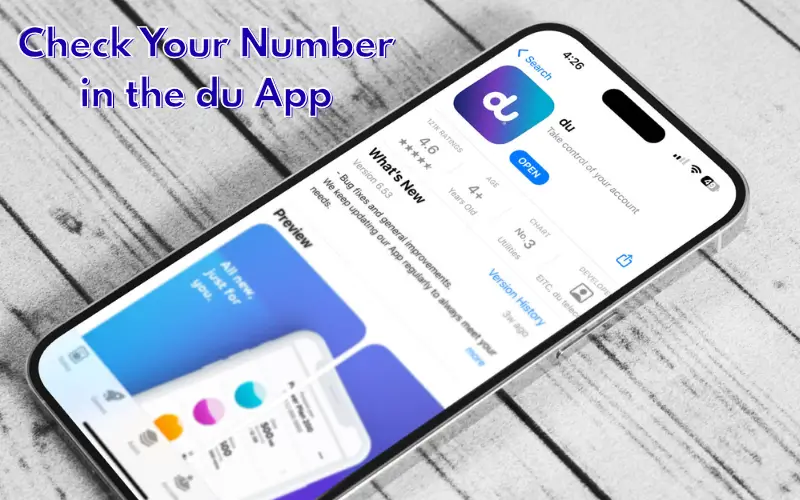
The du app enables consumers to control their mobile services and information. Log in if possible, as it may have the information you’re looking for.
Follow these steps:
- Go to the official du app.
- Log in to your account.
- Look at the information on your mobile line or phone account.
- Verify the selected mobile phone number.
When there are multiple lines, make sure you choose the appropriate line.
The menus for the app may vary due to the layout of the app. If you can’t sign in, use the app’s account recovery features, or contact du support.
Typically, this technique will require an Internet connection. If your mobile data does not work, you can connect to a trusted Wi-Fi network.
Find Your du Number in Android Settings
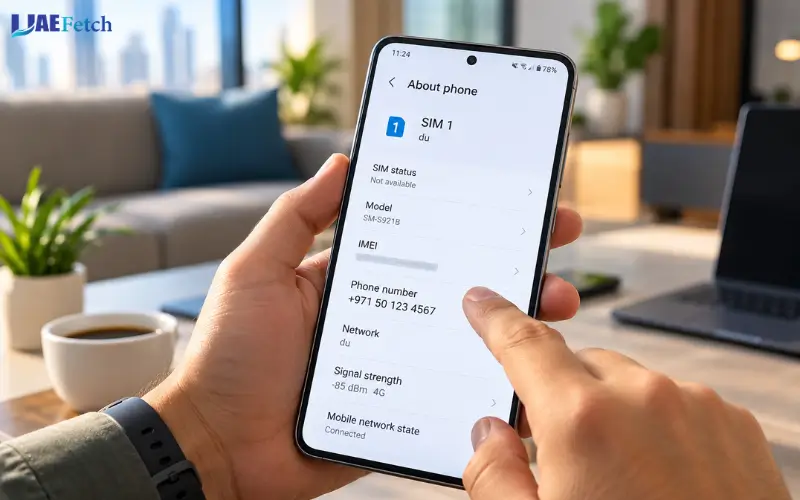
Details of a SIM and mobile network can be displayed on Android phones, but the process for doing so varies by phone model and software version.
Try the following:
- Open Settings.
- Click on About phone, SIM manager, or similar
- Check the SIM status or the mobile line information.
- Check your du SIM’s phone number.
The names of the menus may vary for different Android devices like Samsung, Xiaomi, Pixel, etc. On unable to find the number, look for “SIM” or “phone number” in the Settings menu.
The unknown text or blank number may appear on your phone. This is not necessarily to say that this won’t mean that your SIM has no assigned mobile number. This could just be that the number information is possibly incorrect.
Find Your du Number on an iPhone
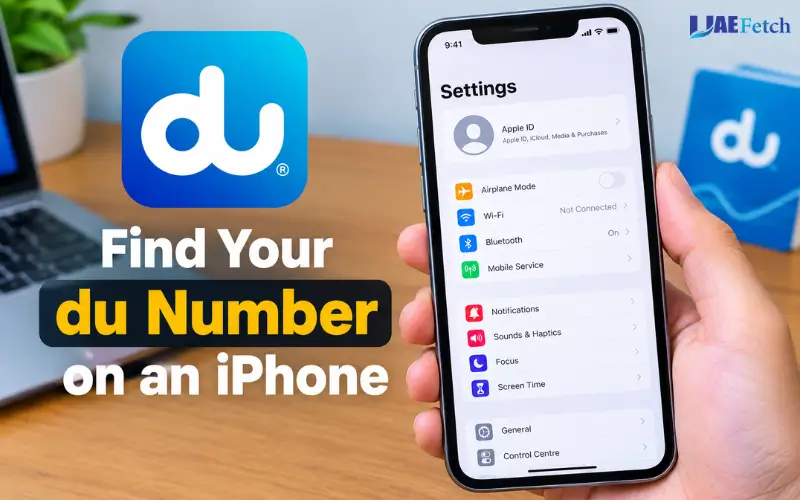
An iPhone may store the mobile number in its settings.
To check:
- Open Settings.
- Select Phone, where available.
- Look for the My Number field.
If you use an eSIM or several mobile lines, check the relevant cellular plan in Settings under Cellular or Mobile Service. Menu names can vary by iOS version.
If the field is blank or shows the wrong number, do not assume the SIM has stopped working. Try the du app or contact customer care to confirm the assigned number.
Check Your Original SIM Package or Activation Message
Check the SIM package, purchase documents, or activation message if you have recently bought a du SIM. May include your phone number or account information.
This is available if you haven’t already remembered the number in your mind. If you swapped SIMs or transferred your number, or otherwise altered your SIM, however, keep the information up-to-date.
Don’t reveal activation codes, passwords, or other personal account details to unknown individuals.
Call Another Phone to Identify Your Number
If your outbound line is allowed to show numbers, dial a trustworthy phone and record the number shown on its display. If your service is configured for it, you can also send out a text message.
This approach will not work if you have no credit provided, outgoing calls are limited or not accepted by other phones, or if the call limit is turned off. If it doesn’t work, employ another method of checking.
du Number Check Methods Compared
The following table helps you choose a suitable method based on your situation.
| Method | Internet needed? | Main requirement |
| Verified USSD code | No mobile data normally | Active network connection and supported code |
| du app | Usually yes | Account access |
| Android settings | No | Access to stored SIM details |
| iPhone settings | No | Access to stored mobile-line details |
| SIM package or activation message | No | Original records available |
| Call another phone | No mobile data | Working outgoing service |
| du customer care | Depends on contact method | Ability to contact support and complete verification |
For a quick check, try a verified network method first. If it fails, look in your phone settings or the du app. Contact customer care when the SIM is inactive, or you cannot confirm which number belongs to your line.
How to Check Your du Number Without Balance or Internet
If you have prepaid credit or mobile data, there’s a possibility you can discover your DU number. It is a technique you have, not the person you want it to be.
Check Your Number Without Mobile Data
First, check the settings of Android or iPhone. Such menus won’t normally need an Internet connection to show the information already on your phone.
If the SIM is enrolled on the mobile network, one may attempt to use a supported “USSD” service. Normal operations of USSD do not rely on mobile data; however, mobile data is needed.
If either of the above is unsuccessful, switch to a secure Wi-Fi network and open the du app or reach out to customer service via the appropriate channel.
What If Your du SIM Has No Credit?
Look at the number in your phone settings/conf check on your original documents (on your SIM card). The following methods do NOT require a paid outgoing call.
Rechargeable USSD service may also be available on non-prepaid phones, but do not take anything for granted, as not all services are free or available in all circumstances or locations. Look at current terms when the code is checking out a charge/svc menu.
Can You Check Your Number If the SIM Has No Signal?
To reach out to du via USSD or any normal call, a phone requires network access. In the event that your SIM isn’t connecting to the network, first, see whether the number is put in your telephone’s settings or on your documentation useful for the SIM.
If the number still cannot be identified, send it via the du web support service and/or visit the official du store with identification. Having no network, a SIM, or a damaged SIM might require additional help.
How to Check a du eSIM Number
An eSIM is an electronic SIM card that sits within a cell phone as a profile or application. It can allow for connecting with a mobile service without a plastic removable SIM card.
Obtaining an eSIM number is the same method as that of a physical SIM, but one needs to be aware of the mobile line to be used.
Find Your Active du eSIM on Your Phone.
- For iPhone: Open Settings and tap Cellular or Mobile Service.
- For Android: Open Settings and search for SIM Manager, SIMs, or Mobile Network.
- Select your du eSIM to check the available line details.
If your phone has two SIMs, check which one is your du eSIM and which one is your physical SIM. This helps you find the correct du number.
What to Do If Your eSIM Number Is Blank
If a field is blank, it doesn’t necessarily mean your eSIM isn’t assigned a phone number. This number might not have been saved in that field on the phone.
Please consult the du app, look at your activation records,s or get in touch with du customer care. Avoid using a mobile number with the EID or IMEI of the eSIM or mobile phone. Other identifiers have different functions.
Why Is Your du Number Check Not Working?
A failed number check can result from a network issue, an incorrect code, a SIM problem, or a phone setting. Use the steps below to narrow down the cause.
The Wrong SIM Is Selected on a Dual-SIM Phone
Please ensure that your phone has two SIMs and you are using the du line. It is possible that your default calling SIM is a call from another operator.
Before calling a support code or using a supported code, access Open SIM Manager or Cellular settings, select the du line, and use it.
Your du SIM Has No Network Signal
Look at the signal indicator & ensure the airplane mode is turned off. Once airplane mode is on, turn it off, wait for the phone to reconnect, and turn it back on if required.
If that is not working, see if it’s happening in another location. If you have ongoing network issues, help could be needed from du.
Your New du SIM Has Not Activated
Newly purchased SIMs might require activation and/or identity verification before accessing mobile services. Check any activation messages received and follow instructions on your SIM.
Don’t forget to contact du if there’s no response from the SIM, as they’re trying endless codes.
Your Phone Settings Show “Unknown”
The My Number field may be blanked as the phone does not have the number stored correctly. This can occur if the SIM is working, but the truck’s equipment is not.
Use the du app or customer care – use services that are supported. Before assuming that the SIM has a fault, determine if it’s an issue with calls and messages.
Your du App or Account Is Not Showing Your Number
Ensure that you are signed in to the right account and have picked the right mobile line. If it won’t start, please verify and retry with your Internet connection.
In case of any problem, seek help from official account recovery or reach out to du. Do not share your code or number verification code with someone supposedly helping you to check your number.
How to Check du Numbers Registered Under Your Emirates ID
Use the Telecommunications and Digital Government Regulatory Authority (TDRA) Hesabati service to check all mobile numbers registered to your Emirates ID. This service is not available for checking the number assigned to the SIM card within the mobile phone.
The Emirates ID Card Owner is eligible for the free TDRA service. It provides the possibility to check the info on active mobile and landline phone numbers registered under their identity at mobile service delivering organizations in the UAE.
Difference Between Finding Your du Number and Checking Registered Mobile Lines
A du number check helps you identify the number associated with your current SIM or mobile line. Hesabati helps you review active phone numbers registered under your Emirates ID across UAE service providers.
Use Hesabati if you want to check whether you have other registered lines or identify a number you do not recognise.
How to Use the TDRA Hesabati Service
- Open the official TDRA Hesabati service.
- Sign in using your UAE Pass account.
- Select Hesabati from the menu.
- Review the active mobile and fixed phone numbers listed under your Emirates ID.
The service is free, and the listed numbers must be active to appear. If you find a number you do not recognise, contact the relevant service provider to investigate it.
How to Contact du Customer Care for Number Assistance
If you don’t have your number in the app, in your phone settings, or with a supported code, please call du directly.
As per du’s official contact page, mobile customers within the UAE can contact 155 from their du mobile. Customers calling from overseas can use +971 55 567 8155. Alternatively, you can take advantage of the official du application, My Account, online chat, or go to one of the du stores.
Describe why it is important to find out the number assigned to your SIM. Be sure to have your SIM and Identification on hand if the support team asks to verify your account.
Please never provide your password or one-time verification code to someone you don’t know who is pretending to be a du employee for security reasons.
Must Visit: ATM Balance Check in UAE: Steps, Fees, Methods and Common Problems
Frequently Asked Questions
1. How can I check my du number in the UAE?
You may find your number using a supported du USSD service, your du app, your phone settings, or Customer Care. If it doesn’t work with one option, use another one instead of using an unconfirmed code.
2. What is the current du number check code?
*116# has been listed as a number check code by some third-party sites, but has not been confirmed as the current number check code by official du sources. Always refer to Check du’s official support info or reach out to their customer care before depending on it.
3. Can I check my du number without balance?
A prepaid number is not required to find your number. A supported USSD request might also work, depending on the status of the service and network.
4. How do I find my du number without internet?
Review the phone settings or the SIM’s documents first. Another option is a supported USSD service (if you have network coverage). The du application requires access to the Internet.
5. Why is my du number showing as unknown?
Your cell phone might not have the number stored on its SIM card. This does not necessarily indicate that your SIM isn’t active. Please verify the numbers with the du app or customer care.
6. How can I check my du eSIM number?
If you have a phone that supports dual-SIM cards, open up the cell or SIM settings and choose the du eSIM profile option. Look at the du app/activation records if the number is blank. You may also talk to du to verify the number provided on your eSIM.
7. How do I check my du number on a dual-SIM phone?
In your SIM Manager or cellular options, you will find the du line. Before using a supported code or making a call, choose that SIM. That way, you can avoid the temptation to select the incorrect cell phone line.
8. Can I check all mobile numbers registered under my Emirates ID?
Yes. TDRA’s free Hesabati service allows users with a valid Emirates ID to access a list of active mobile and fixed phone numbers registered in their name by UAE service providers. Log in with UAE Pass and choose Hesabati.
9. What is the difference between a du mobile number and an IMEI?
An IMEI identifies a mobile device; a mobile number identifies your telephone line. The embedded SIM also has an EID that will identify the SIM. The purpose of these identifiers is different, and they cannot be substituted for each other.
10. How can I contact du if the number-check method fails?
Contact du mobile in the UAE, download and use the official du app, or go to any du shop. Here’s a call-to-action option listed as 971 55 567 8155 for those visiting the country.