
Table of Contents
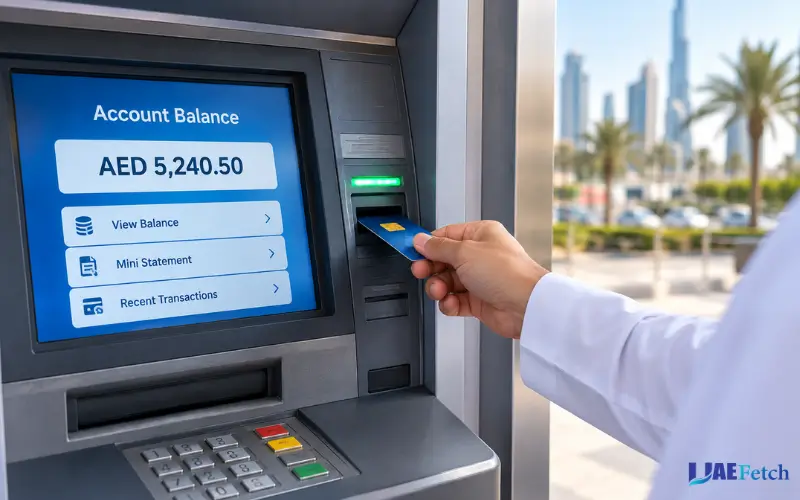
A simple way to check how much cash you have on hand without withdrawing cash from an ATM in the UAE is by checking your bank balance at the ATM. Typically, you will need your bank card and PIN to access the balance enquiry service. If your bank and the ATM do, they will show you your redemption balance.
The United Arab Emirates (UAE) has banks with a variety of ATM and digital banking services, such as Emirates NBD, First Abu Dhabi Bank (FAB or ADCB, Dubai Islamic Bank (DIB), and Mashreq. However, banks and account types vary in options and fees.
This guide will show you how you can check your bank balance at an ATM in the UAE, the cost of checking your bank balance via an ATM, and how to fix some common issues you may face in the process, as well as what you can do if you don’t have an ATM at hand.
What Is an ATM Balance Check?
The ATM Balance check is a banking service that enables the user to check their account balance using an ATM. You may utilize such a service to obtain the monetary amount at your disposal prior to shopping, paying bills, or any other transactions.

In a balance inquiry, you will see the balance on your account without removing the money. ATM communicates the request via the appropriate banking network; the system responds with account data that the service can provide.
In the UAE, you might see different information on what’s displayed depending on your bank, ATM, and card. Your balance or other account details will be visible. There are also some machines that provide printed receipts and other account services.
What Information Can You See at an ATM?
An ATM can offer the following:
- The amount of money in your banking account.
- Selected account information.The last seven elements of the mini statement service.The last seven operations in the mini statement service.
- Supported machines: Credit card or loan information.
- If the machine has this capability, then a printed horizontal receipt of the balance should be issued.
Please know that inquiring about a balance is not the same as getting a bank statement. To check all the transactions, utilize your bank’s mobile application, online banking service, or its official statement service.
How to Check Your Bank Balance at an ATM in UAE
Checking your account balance typically can be accomplished over a few simple steps. While the words displayed on the machine may vary, the process is quite similar.
Step 1: Find a Compatible ATM
Try to find a bank-owned ATM, or an ATM that is compatible with your card network. By utilizing your own bank’s ATM, you can steer clear of a few of the charges that other banks charge on their ATMs.
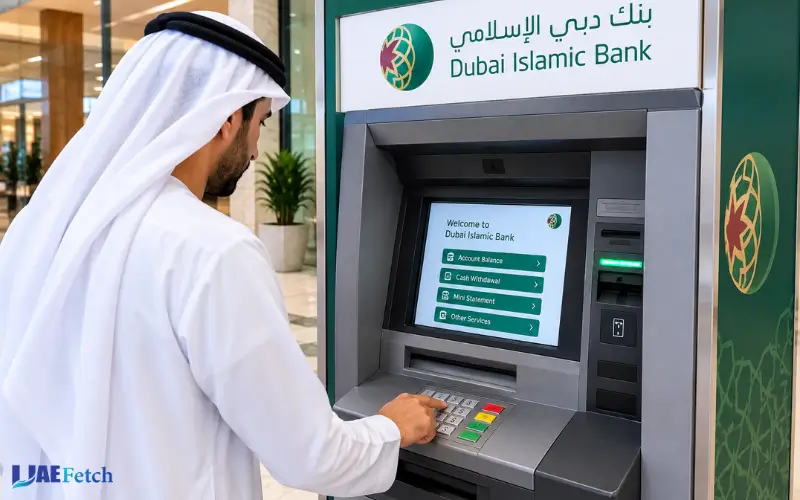
The locations of the ATMs will be available on your bank’s official website or mobile banking app. Embarrass, FAB, ADCB, DIB, and Mashreq are a few banks that offer details about their banking services and ATM network via their official channels.
Step 2: Insert Your ATM or Debit Card
Place your card into the card reader, as directed by the machine. A few ATMs might offer contactless card access—use them according to the directions on the display.
Be sure to use a card with an active bank account and used for a compatible purpose. The ATM might not accept your card if it has expired or been blocked or if there is a technical issue with it.
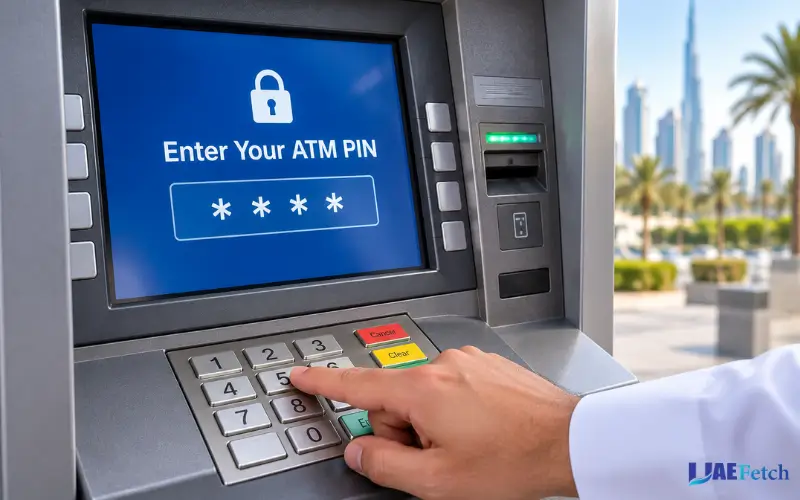
Step 3: Enter Your ATM PIN
If an ATM prompts you to choose a language, choose the one that you prefer. Please input the Identification Number (PIN) on the keypad provided:
Cover the keypad with your fingers while typing in your PIN. Don’t give another person your PIN, even when someone says they are from the bank.
Step 4: Select the Balance Inquiry Option
Search for “balance inquiry”, “balance check “,, or “account balance. The name is different depending on the Menu of the ATM.
Instead of Cash Withdrawal, choose this. A few machines may have multiple banking services displayed on a single screen.
Step 5: Select Your Account Type if Required
You may need to select a savings account or current account within the ATM. Choose an account to review.
Ensure that you are using the right account if you have more than one account opened by the card.
Step 6: View Your Balance and Finish the Session
If the query is successful, the ATM will show your balance. There is also a receipt on some machines.
Read the amount carefully, collect your card and receipt if there is one, and then end the session. In case of error, do not repeatedly enter your PIN or enter unnecessary PINs. Go to the website and follow the instructions or call your bank.
ATM Balance Check Charges in UAE
A frequently asked question is “Does it cost to get a balance at the ATM? It doesn’t depend on any one thing—it varies based on your bank, your type of account, your card, and your ATM.
Some banks allow for balance enquiries in their own ATMs but charge enquiries in other banks’ATMs. In this example, Commercial Bank of Dubai charges a different fee for balance inquiries for its own ATMs versus other banks’ ATMs, and Mashreq charges a fee based on the type of ATM and banking product used. All the examples have pointed out the need to verify the prevailing fee structure and schedule in your own bank, as no one can predict whether all queries will be free or not.
How to Avoid Unnecessary ATM Charges
You can reduce the chance of paying an avoidable fee by following these steps:
- Use your own bank’s ATM when practical.
- Check your bank’s latest schedule of charges.
- Read any fee notification displayed before confirming a transaction.
- Use mobile banking to check your balance when convenient.
- Avoid repeating balance inquiries at other banks’ ATMs if a charge applies.
The Central Bank of the UAE publishes rules and information concerning banking service charges. However, the amount of the applicable fee for your specific service should be verified per the current official terms and conditions of your bank.
Avoid using a fee chart from the web from a long time ago, as banks have different rates and varieties of account structures that they update.
Current Balance vs Available Balance
For example, any discrepancy in the amount as it appears on an ATM or display screen might be tied to the type of balance being shown.
The current balance typically shows transactions in your account according to the bank’s posting order. Available balance is the total available that you can use now, taking into account the applicable holds and adjustments.
Suppose that in your account there are AED 2,000. Your outlay on the card is AED 250, and this has not been fully registered. Having AED 2,000 in balance does not mean the customer has spent AED 2,00 The customer’s current balance of USD 2,000 does not necessarily mean that he/she is spending USD 2,000.
Other possible factors for the difference may be pending transactions, uncleared deposits, or funds pending for payment.
What Should You Do if Your Balance Looks Incorrect?
Open the official app or online banking system at your bank, and take a look at what transactions you have just made. Check for pending payments, unrecognized withdrawals or deposits that haven’t resolved.
If you can’t explain, then reach out to your bank via their official customer service line. Notify the bank at once if any unauthorised transaction takes place and request their investigation.
You should not count on an ATM having an incorrect account balance if you think it has a different account balance than you would arrive at. Review transaction history before completing.
ATM Balance Inquiry vs Mini Statement
You should not use a balance inquiry and this mini statement interchangeably. Can you tell the amount of money recorded or available in your account, based on the information given by the Automatic Teller Machine (ATM)? A mini statement displays filtered transactions from the past, including deposits and withdrawals.
| Feature | Balance inquiry | Mini statement |
| Main purpose | Check your account balance | Review recent transactions |
| Transaction details | Usually limited | Shows selected recent activity |
| Printed information | May show the balance | May list recent transactions |
| Availability | Depends on the bank and ATM | Depends on the bank and ATM |
Select balance inquiry if only checking your balance. To review recent activity c,, choose a mini statement.
How to Check Your Bank Balance Without an ATM
Typically, a mini statement will not cover all transactions. Interestingly, if you want a full statement, then you should call your bank’s official statement service.
Mobile Banking App
Don’t have to go daily to the ATM to check balances. UAE banks provide digitised banking services, and other banking channels may be more convenient.
Online Banking
Download the official mobile banking app of your bank and log in with the proper security measures. Your balance will be listed on the account overview, and insights into recent transaction activity should be available through the transaction sections.
Emirates NBD offers services for inquiries into their accounts and even their transactions via the banking channels, which include. Visit your bank’s official website to determine the features your bank offers for your account.
SMS or Telephone Banking
If you are registered with internet banking, go to your bank’s official website and log on there with a secure login. Usually, you can see and analyze your account and transactions that you are eligible for.
Don’t sign in by clicking the links in unsolicited text messages or messages in e-mail. Type in the bank website address or use the official app.
Bank Branch or Customer Service
Certain banks send SMS balance details,or it can be obtained via telephone banking. These services may require registration, a mobile number, or further proof of identity.
It is important to note that not all UAE banks have the same SMS code or phone numbers. Please review your bank instructions before using these services.
Can You Check Your Balance at Another Bank’s ATM in UAE?
If you are unable to access your account, don’t know your PIN, or need to report a balance mismatch, you may be able to reach out to a branch or official customer service. Have your account information on hand, but be sure never to give out your PIN or banking password to an unexpected caller.
Common ATM Balance Check Problems and Solutions
An ATM balance inquiry can fail for several reasons. The right solution depends on the message displayed and the condition of your card or account.
| Problem | Possible reason | What you should do |
| Incorrect PIN | You entered the wrong PIN | Check your PIN and follow the bank’s instructions. Avoid repeated guesses. |
| Balance inquiry declined | Card, account, or network restriction | Try your own bank’s ATM or contact your bank. |
| ATM cannot connect | Temporary network or system problem | Wait and try again later, or use official mobile banking. |
| Balance looks incorrect | Pending transactions or account holds | Review recent transactions and contact your bank if needed. |
| No receipt printed | Printer problem or unavailable receipt service | Check the displayed balance and review your account through another official channel. |
| Card retained by ATM | Security restriction or machine fault | Contact your bank immediately and follow its instructions. |
What if the ATM Keeps Declining Your Request?
If your card network and bank machine allow you to check the account’s balance, you can try using another bank’s machine. The service will not work on all machines, however.
Before using the ATM, remember to see if it allows for checking your balance, and if there is a charge for it. The method used for an inquiry you make at an ATM at another bank may not be the same as at an ATM at your bank.
If you do not have access to this option,, you can attempt your own bank’s ATM or mobile banking. You can save a significant amount of time and reduce the number of transactions that get rejected.
Common ATM Balance Check Problems and Solutions
In addition, be aware that the cardless cash withdrawal service is not always a cardless balance inquiry. A bank may let you make a withdrawal without having to physically present your card, but it may not allow you to make all account inquiries that way.
| Problem | Possible reason | What you should do |
| Incorrect PIN | You entered the wrong PIN | Check your PIN and follow the bank’s instructions. Avoid repeated guesses. |
| Balance inquiry declined | Card, account, or network restriction | Try your own bank’s ATM or contact your bank. |
| ATM cannot connect | Temporary network or system problem | Wait and try again later, or use official mobile banking. |
| Balance looks incorrect | Pending transactions or account holds | Review recent transactions and contact your bank if needed. |
| No receipt printed | Printer problem or unavailable receipt service | Check the displayed balance and review your account through another official channel. |
| Card retained by ATM | Security restriction or machine fault | Contact your bank immediately and follow its instructions. |
What if the ATM Keeps Declining Your Request?
Carefully read the error message. Wait a bit and then try again if the ATM finds it is having a problem with the network. Don’t continue to try the same transaction if it reports a restriction on the card or account; ask your bank instead.
If the card is not returned, call the issuing bank with the official number provided on the website or app of the issuing bank. If you believe that someone has tampered with your card, ask the bank to see if it has been compromised and should be blocked.
What if You Notice an Unauthorised Transaction?
Take immediate action on the transaction by using the official app or customer service of your bank. If the bank tells you to block your card, do so and secure your account.
Save any information about the transaction, including the date, amount,t and ATM location. Do not allow anyone to take your PIN or one-time password to buy into the issue.
Is Checking Your Bank Balance at an ATM Safe?
Checking your bank balance at an ATM is a typical banking operation,,n but your card and personal information should be protected.
Pay attention to safety:
- Cover the keypad when putting in a PIN number.
- Do not use a machine that has signs of tampering.
- Avoid accepting strangers’ assistance at the ATM.
- Carry out your card and receipt with you before you leave.
- Remember to go through your transaction history if you get any notice that any transactions seem unusual.
- It’s crucial to reach the bank as soon as possible if your card is held or you think it’s been used without your consent.
Financial institutions in the UAE are regulated by the Central Bank, which provides guidance for financial institutions in the UAE, including guidance about banking services, consumer protection, etc. If a banking problem is not resolved, first make a complaint with your bank and request that you follow the official complaint procedure for your bank.
Final Tips
When you use an ATM that is compatible and go through the correct procedures, it is easy to check your bank balance. If you use an ATM at another bank, be sure to choose Balance Inquiry, protect your PIN code, and see if there are fees involved. If your balance is not accurate, or if your transaction is denied, check through official banking sources and if you need to, talk to your bank. For those who don’t want to go to an ATM, mobile banking and online banking are also convenient methods of banking.
Must Visit: Nol Card Balance Check: Online, App and Metro Methods
Frequently Asked Questions
Can I Check My Bank Balance at an ATM without Removing Money?
Yes. Inquire about the balance instead of Cash Withdrawal if your bank and the ATM provide this service. An ATM will show you your account balance without cashing out.
Is ATM Balance Check Free in UAE?
It will vary with your bank, the type of account,t and the ATM network in which your account is held. It’s possible that they will provide a no-cost inquiry to you, or the ATM at another bank might charge a fee. Please note the bank’s current charge schedule before using this service.
Can You Check the Balance of Your Bank Account Without Your ATM Card?
A few banks offer cardless services; the details they offer are not identical, though. If you have signed up for your bank’s Mobile/Online Banking applications, you may use the official apps to accomplish the objective.
May I Check My Balance At Other Banks ATM Service?
Yes, provided there is an ATM network that offers the service, and your card issuer participates in it. However, this may depend on the machine and will cost you an amount depending on your balance inquiries.
Why is there a difference between the balance on my ATM and my banking app?
This difference in processing times may be accounted for by pending transactions, account holds, or uncleared deposits. Check your transaction history and check with your bank if there are any discrepancies.
If I had no access to the Internet for some reason, could I be able to check my bank balance?
Yes. If there is no internet connection, but the ATM and bank are working is possible; then proceed to an ATM so that you can use it. If your bank offers SMS or telephone banking, and you fulfill the requirements set by your bank, SMS or telephone banking might be another option.
Are there any drawbacks to an ATM balance check?
No. Balance inquiry questions ask about the balance. Some ATMs provide small statements of selected recent transactions, but use your bank’s statement service for a larger listing of transactions.
If an ATM keeps my card, why should I do anything about it?
Notify your bank that issues the credit card via an official line. Follow its instructions to secure the account and, if needed, arrange for the replacement of the account’s cards. Avoid accepting help from strangers and don’t give your PIN to others.


2 comments
[…] Must Visit: ATM Balance Check in UAE: Steps, Fees, Methods and Common Problems […]
[…] Must Visit: ATM Balance Check in UAE: Steps, Fees, Methods and Common Problems […]