
Table of Contents
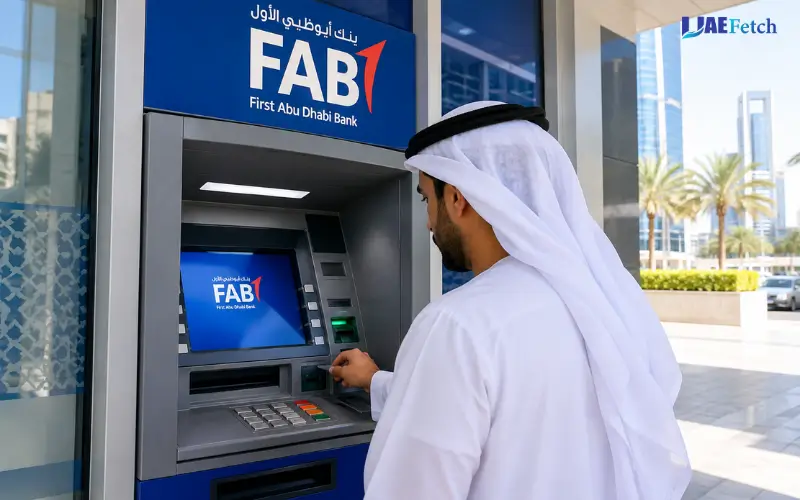
You can check your First Abu Dhabi Bank (FAB) account balance at an ATM using your eligible bank card and PIN. The ATM balance inquiry option lets you view your account balance without opening the mobile banking app. You can also use FAB Mobile to check your balance and recent transactions. This guide explains how to check your FAB balance at an ATM in the UAE, what you need, possible charges, alternative methods, and solutions to common problems.
FAB ATM Balance Check: Overview
FAB ATM balance check is a service that allows eligible customers to view their bank account balance through an automated teller machine. You can use a FAB ATM to check your balance without visiting a bank branch.
Here are the main details to know before starting.
| Detail | Information |
| Bank name | First Abu Dhabi Bank (FAB) |
| Country | United Arab Emirates |
| Service | ATM balance inquiry |
| What you need | Eligible bank card and PIN |
| At a FAB ATM | Balance inquiry is listed as free in FAB’s published fee information |
| At another bank’s ATM | Charges may apply |
| Other option | FAB Mobile app |
| Main purpose | Check your account balance before making a transaction |
The available options may differ by card type and ATM. Check the instructions displayed on the screen before continuing.

How to Check FAB Balance at an ATM
You can use an ATM to find out how much money is in your FAB account.
- Use a nearby FAB ATM: go to an ATM nearby that can be used with a card
- Insert Your Bank Card: For eligible FAB ATM or Debit Cards, follow the on-screen instructions.
- Type in your PIN: Carefully input your PIN number. Cover the keypad when typing.
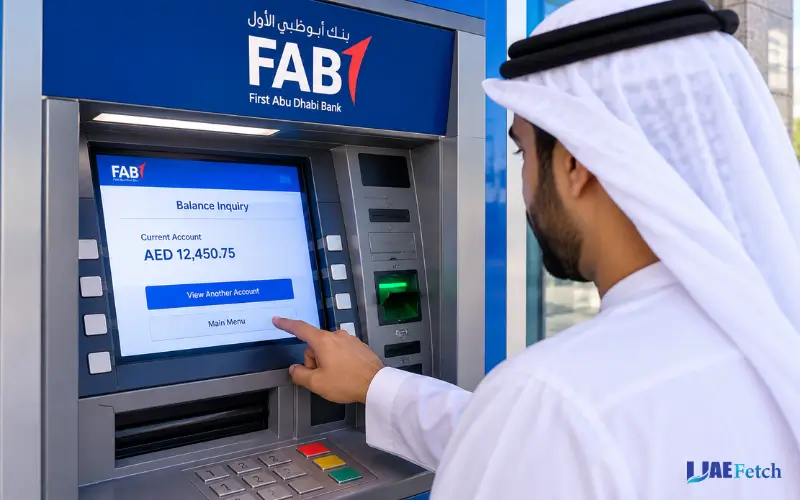
- Choose the balance check option: Check for a balance inquiry or balance enquiry. The exact manner in which the questions are worded may differ depending on the ATM.
- Pick your account when prompted: If there is more than one eligible account, choose the account you wish to view.
- Check the balance: Look at the balance that is on the screen.
- Complete the transaction: As directed, adhere to the proposed steps for the end of the transaction and collect your card. If the ATM provides a receipt, pick it up.
No cash-out to view account balances. If you do not see a balance inquiry option on the ATM, please access another FAB ATM or check your account by using the FAB Mobile application.
Related blog: FAB Balance Check: Best Ways to Check Your Bank Balance
What Do You Need to Check Your FAB Balance?
- Qualifying bank card: There are bank cards that are compatible with the ATM’s ability to access your FAB account.
- Correct PIN – The ATM will check the PIN of your card for verification.
- Available and operational ATM: The machine must have to be at the service and functional to process your request.
- Must be a linked account: You have to have access to an account that you want to check the balance on with your card.
Most ATMs don’t require a cell phone or Internet access to check your account balance. If you decide to check your balance using the mobile app, then you will need online access. When entering the PIN, don’t repeat it if you forget. If you have to reset it, please contact FAB’s official support or card services.
Can You Check Your FAB Balance at Another Bank’s ATM?
If you have a card that works at another bank’s machine, you can view your FAB account balance, depending on the type of services the ATM offers and the ATM network. Query checks may, however, cost a bit more if you visit another bank’s ATM rather than the FAB ATM. Before confirming, check any fee notification that would appear on screen. If the ATM cannot tell you your balance for your card, cancel and go to another FAB ATM or FAB Mobile.
Tip: If you need to know your current balance, then you are not likely to incur a charge for using ATM equipment at another bank while using FAB Mobile.
FAB ATM Balance Check Fees in the UAE
The fee is determined based on the card fee schedule and the ATM used. The following charges apply when you inquire about your ATM balance using FAB’s personal banking service guide.
| ATM location | Published balance inquiry fee |
| FAB ATM in the UAE | Free |
| Another bank’s ATM in the UAE | AED 1.05 |
| Another bank’s ATM in the GCC | AED 3.15 |
Statistieken referring to service guide on personal banking in the FAB published personal banking service guide. The charges that may apply may be dependent on your card or account conditions; please see the current official fee schedule. A balance check does not constitute a withdrawal of cash. Do not presume that the fee charged to check your account balance the fee charged on money withdrawal.
Other Ways to Check Your FAB Account Balance
For those who can’t get to an ATM, FAB offers digital banking services to help you check your account balance.
Check Your Balance Through FAB Mobile
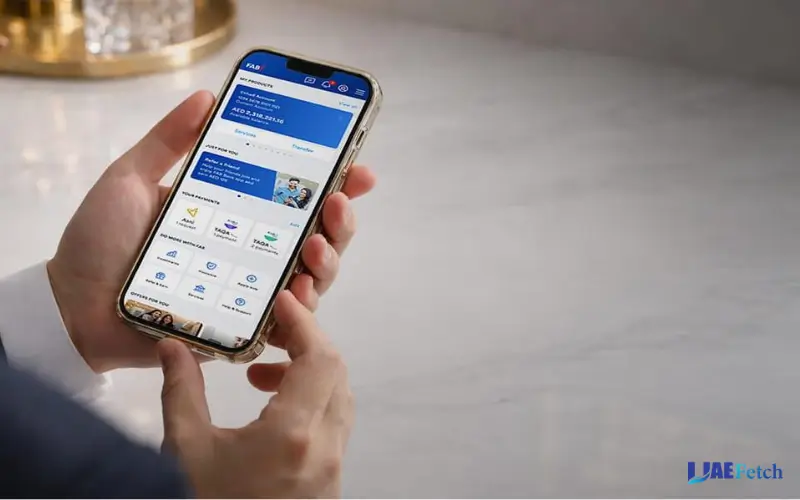
FAB Mobile is a great choice for customers who wish to view their balances on their mobile devices. Transaction details and other account services are also available in the app.
To see your balance:
- Please open the official FAB Mobile application.
- Enter using your registered banking identification or make use of a readily offered secure login.
- Click on Accounts.
- Choose the account you’re interested in.
- Look at the balance and recent transactions that appear on the screen.
The app requires a smart device like a smartphone andan Internet connection. If not registered, proceed with FAB’s official registration.
Check Your Balance Through FAB Online Banking
In addition, if other users of the official online banking services of FAB have access, you can use it.
- Go to the official FAB site.
- Go to the Internet banking login page.
- Log in with your signed-up username and password.
- Access your account overview.
- Click on the desired account to see the balance of that account.
Always enter login information on the official bank website. Don’t click on the links provided in unsolicited text messages and emails.
Common FAB ATM Balance Check Problems and Solutions
There is a possibility that your ATM may not display your balance due to some problem with your card, card’s PIN entry, temporary ATM service, or an unsupported transaction. These are common FAB ATM Balance Check problems and solutions.
| Problem | What you can do |
| Balance inquiry option is missing | Try another FAB ATM or use FAB Mobile. |
| Incorrect PIN message | Check your PIN and follow FAB’s instructions if you have forgotten it. |
| Card is declined | Check your card status and contact FAB if the problem continues. |
| ATM is out of service | Use another ATM or check your balance through the app. |
| Balance is different from the app | Compare the account selected, transaction history, and available balance. |
| No receipt is printed | Check the on-screen balance or use FAB Mobile to confirm your account details. |
| Card is retained by the ATM | Contact FAB through its official support channels and follow its instructions. |
Don’t take assistance from strangers and don’t give out your PIN if your card is lost. Call the designated contact number or support line.
Why Is My FAB ATM Balance Different From My Available Balance?
The balance shown and the available balance could vary, as they are not always the same. The amounts shown in your account balance might not match up with the amounts of money that are in your account, and your available balance could be the amount of money that is “available for use. The amount reflects pending card transactions, card holds, and recent transactions. If you don’t understand, check your transactions in FAB Mobile or call the bank.
Conclusion
To access your FAB ATM Balance in the UAE, you may use a FAB ATM, insert your eligible card, enter your FAB ATM PIN, and click on the ATM Balance inquiry button. FAB’s personal banking guide is published, and it lists the service as free at the FAB ATMs.
When you don’t have an ATM to use, check your transactions and balance with FAB Mobile. For any query regarding fees, access to the cards, and unsuccessful inquiries, please check FAB’s latest official service bulletin or send an email to FAB’s customer service.
Frequently Asked Questions
How can I be sure of my FAB balance at an ATM?
Insert your eligible FAB card, punch in your PIN, N and then request a balance inquiry (if available). Click on “Screen Instructions” to check your account balance.
3. Where can I find the $FABs for my mobile app?
Yes. A mobile wallet with a compatible FAB ATM can be used for balance checking using your eligible card with your PIN. There is no need to use a mobile device to make a standard ATM inquiry.
3. Is it necessary to have a FAB debit card to check the balance?
An eligibility card is required that allows you to access your account with the ATM. The specific criteria will vary with your card and account.
4. Can I use a different bank’s ATM to check my FAB balance?
This could be possible, depending on the card and ATM network. A query to see if it supports balance enquiries, and any charges that it displays are reviewed prior to use.
5. Can you check your FAB ATM balance for free?
Inquiries on a bank’s personal banking service guide are quoted as free for balance enquiries at FAB ATMs. Be aware that fees may apply to the use of ATMs at other banks; please check the most current fee schedule.
6. Do you have a way to see my FAB balance without my ATM PIN?
The common ATM inquiry of balance is typically going to ask for your PIN. Should you have forgotten it, contact FAB’s card services or customer support for instructions on resetting it.
8. Is the cash received by the FAB ATM the same as the regular FAB statements?
Some ATMs display a mini statement or recent transaction history; not all ATMs have these options. Look on the menu of the ATM for the option.
If a FAB ATM doesn’t display my balance, what should I do?
See if the ATM allows you to get your balance, and if not, approach a different FAB ATM. Through FAB Mobile, you can also check the balance of your account and communicate with the bank if it doesn’t work.
9. Is it possible to check the FAB balance without internet?
Yes, if your ATM allows you to check your balance. FAB Mobile application will need an Internet connection to access your account.
11. Where is the nearest FAB ATM to me?
For the official ATM and branch locator, please use the FAB website. Please use ATM location details before travelling to confirm that the ATM is available.